Best AI Video Editing Tools for Content Creators in 2026
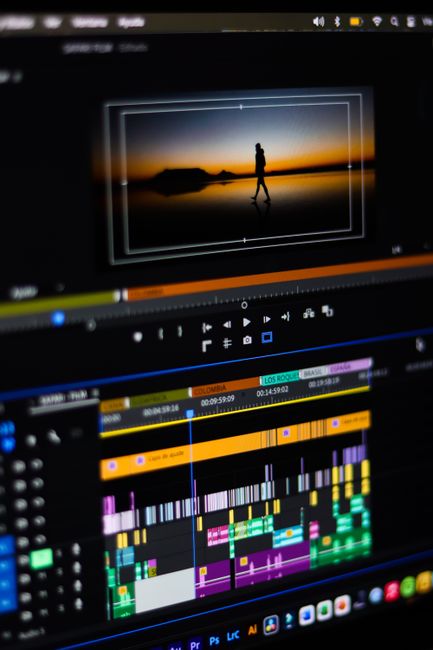
1. Runway ML
Runway ML is a powerful AI video editing tool that leverages machine learning to automate complex tasks like rotoscoping, object removal, and style transfer. It’s ideal for filmmakers and digital artists who need advanced editing capabilities without manual labor. A standout feature is its real-time collaboration, allowing teams to work seamlessly on projects.
Best for: Advanced AI-powered effects
Runway ML excels in generating high-quality visual effects, making it a favorite for professionals who require precision and creativity.
2. Descript
Descript combines transcription, editing, and AI-powered voice cloning into one intuitive platform. It’s perfect for podcasters, YouTubers, and educators who want to edit videos by editing text. The standout feature is its Overdub function, which lets you correct spoken words by typing them.
Best for: Text-based video editing
Descript’s unique approach to editing via transcriptions saves time and simplifies the process for content creators.
3. Adobe Premiere Pro (with Sensei AI)
Adobe Premiere Pro integrates Sensei AI to automate tasks like color correction, audio balancing, and scene detection. It’s the go-to for professional editors and studios needing a robust, all-in-one solution. The Auto Reframe feature intelligently adjusts aspect ratios for different platforms.
Best for: Professional-grade workflows
Premiere Pro’s AI enhancements streamline post-production, making it indispensable for high-volume projects.

4. Pictory
Pictory is an AI tool that transforms long-form content into short, engaging videos. It’s ideal for marketers and social media managers who repurpose blogs or podcasts. The AI automatically selects key moments and pairs them with stock footage or captions.
Best for: Automated video summarization
Pictory’s ability to condense hours of footage into highlights saves creators countless hours.
5. Lumen5
Lumen5 uses AI to convert articles into videos with minimal effort. It’s perfect for bloggers and small businesses looking to expand into video content. The platform suggests visuals and music based on your text, ensuring a cohesive final product.
Best for: Content repurposing
Lumen5’s drag-and-drop interface and AI-driven suggestions make video creation accessible to non-editors.

6. Synthesia
Synthesia creates videos with AI-generated avatars and voiceovers in multiple languages. It’s a game-changer for e-learning and corporate training. The standout feature is its ability to produce lifelike presenters without filming.
Best for: AI-generated presenters
Synthesia eliminates the need for actors or studios, reducing production costs significantly.
7. InVideo
InVideo offers thousands of templates and an AI script generator to speed up video creation. It’s suited for entrepreneurs and influencers who need quick, polished videos. The AI suggests edits and transitions based on your content.
Best for: Template-based video creation
InVideo’s vast library and smart recommendations help users produce professional videos in minutes.

8. CapCut
CapCut, by ByteDance, provides AI tools like auto-captions, beat sync, and background removal. It’s popular among TikTokers and mobile creators for its ease of use. The AI-powered speed adjustment ensures smooth slow-motion or fast-forward effects.
Best for: Mobile-first creators
CapCut’s mobile optimization and social media integrations make it a top choice for short-form content.
Which One Should You Choose
Choose Runway ML for advanced effects, Descript for text-based editing, or Pictory for automated summaries. For professional workflows, Adobe Premiere Pro is unmatched, while Synthesia excels in AI avatars. Lumen5 and InVideo are best for beginners, and CapCut is ideal for mobile creators.
Frequently asked questions
What is the best AI video editor for beginners?
Lumen5 and InVideo are ideal for beginners due to their intuitive interfaces, templates, and AI-driven suggestions that simplify the editing process.
Can AI video editors replace human editors?
AI tools automate repetitive tasks and enhance efficiency, but human creativity and judgment remain essential for nuanced storytelling and artistic decisions.
Are there free AI video editing tools?
Yes, tools like CapCut and Descript offer free tiers with basic AI features, though advanced capabilities may require a paid subscription.
How does AI improve video editing?
AI speeds up tasks like color correction, transcription, and object removal, while also enabling advanced effects like style transfer and auto-reframing for different platforms.